 Admin
AdminWhen a person spends hours at a desk, the chair becomes more than a piece of furniture—it turns into a health partner. Poor seating can lead to back pain, reduced focus, and long‑term musculoskeletal issues. Understanding how to craft a chair that supports natural alignment is essential for anyone who values both wellbeing and efficiency.
Chair ergonomics design is the discipline that blends anatomy, biomechanics, and aesthetics to produce seats that adapt to the human body rather than forcing the body to adapt to the seat. By applying scientific principles, designers create chairs that promote proper posture, reduce fatigue, and enhance overall productivity. The result is a workspace where comfort and performance coexist.
In the following sections we will examine the core elements of chair ergonomics design, explore material considerations, and provide actionable tips for selecting and adjusting a chair that fits your unique needs. Whether you are setting up a home office, a corporate environment, or a creative studio, these insights will help you make informed decisions that benefit both body and mind.
Chair Ergonomics Design: Key Principles for Healthy Seating
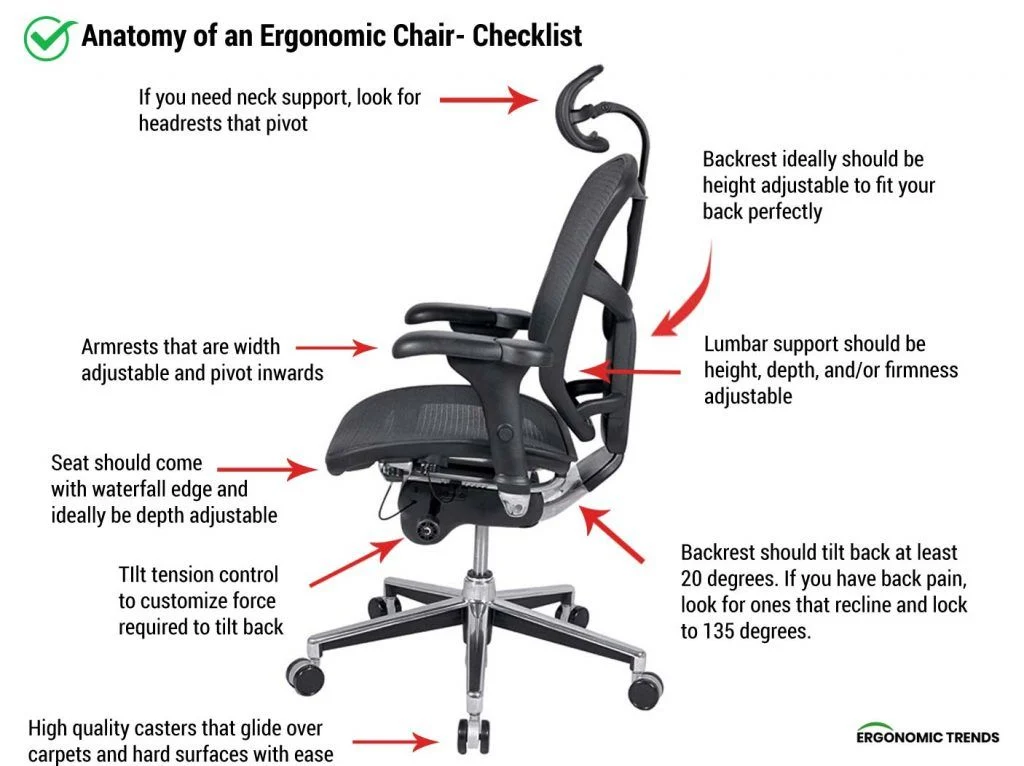
The foundation of effective chair ergonomics design rests on three interrelated principles: support, adjustability, and movement. Each component addresses a specific aspect of how the body interacts with the seat.
Support: Aligning the Spine
Proper lumbar support is the cornerstone of chair ergonomics design. A well‑designed backrest follows the natural curve of the lumbar spine, typically around a 100‑110 degree angle. This curvature helps maintain the pelvis in a neutral position, reducing stress on intervertebral discs. Adjustable lumbar pads or built‑in contouring allow users to fine‑tune the support to their individual curvature.
Adjustability: Personalizing the Fit
No two bodies are identical, which is why adjustability is a non‑negotiable element of chair ergonomics design. Height adjustment, seat depth, backrest tilt, and armrest positioning should all be independently modifiable. A pneumatic lift mechanism makes it easy to set the seat height so that the feet rest flat on the floor and the thighs are parallel to the ground, promoting optimal circulation.
Movement: Encouraging Dynamic Sitting
Static sitting for prolonged periods is detrimental, even with the best‑designed chair. Modern chair ergonomics design incorporates features that encourage micro‑movements, such as a synchro‑tilt mechanism or a flexible seat cushion. Some models also include a swivel base and smooth‑rolling casters, allowing the user to reach different areas of the desk without straining.
Design Elements That Influence Comfort

Beyond the primary ergonomic principles, several design details play a crucial role in overall comfort and usability.
- Seat Material: Breathable mesh fabrics improve air circulation, while high‑density foam offers consistent pressure distribution. The choice depends on climate, usage duration, and personal preference.
- Armrest Design: Adjustable armrests that move in height, width, and angle support the shoulders and reduce neck tension. Fixed armrests can limit freedom of movement and may cause awkward positioning.
- Base Stability: A five‑point base distributes weight evenly and reduces the risk of tipping. The base should be sturdy yet lightweight enough for easy repositioning.
- Caster Selection: The right wheels prevent floor damage and facilitate smooth movement. For hardwood surfaces, consider chair casters for hardwood floors that are soft and non‑marking.
Integrating Chair Ergonomics Design Into Your Workspace
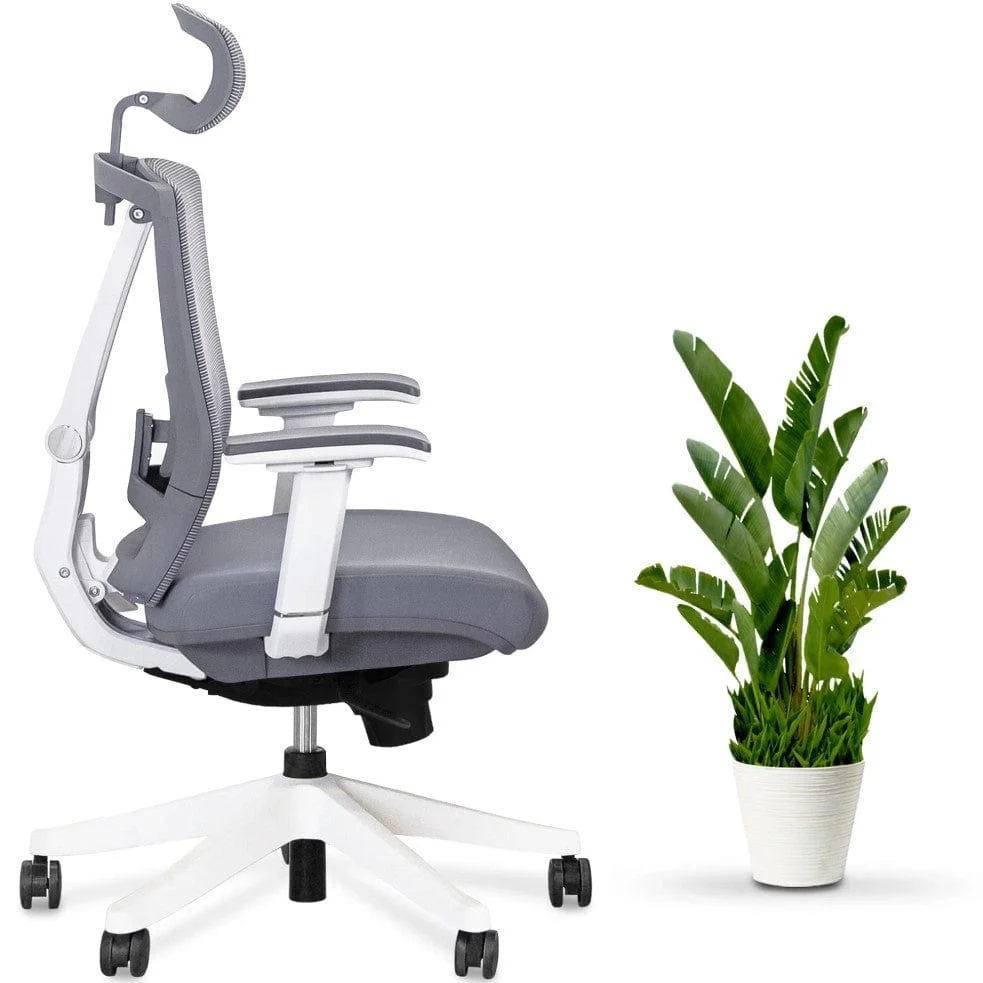
Implementing chair ergonomics design is not just about buying a new chair; it requires thoughtful integration with the overall workspace layout.
Desk Height Compatibility
The desk height should complement the chair’s adjustments. When the forearms rest comfortably on the desk surface with elbows forming a 90‑degree angle, shoulder strain is minimized. If the desk is too high, consider a sit‑stand workstation that allows the user to alternate between sitting and standing positions.
Lighting and Visual Ergonomics
Proper lighting reduces eye strain, which indirectly influences posture. Position the chair so that glare does not force the user to lean forward or tilt the head. Adjustable monitor arms can help align the screen at eye level, further supporting ergonomic alignment.
Personalization Through Accessories
Accessories such as seat cushions, lumbar pillows, or ergonomic footrests can enhance the baseline chair ergonomics design. For those looking to refresh the aesthetic without compromising function, explore chair decorating ideas that blend style with ergonomics.
Choosing the Right Chair: A Step‑by‑Step Guide

Selecting a chair that embodies strong chair ergonomics design requires systematic evaluation. Follow these steps to ensure you make an informed purchase.
- Assess Your Body Measurements: Measure sitting height, thigh length, and arm reach. Use these numbers to compare against manufacturer specifications.
- Test Adjustability: Sit in the chair and adjust seat height, backrest tilt, and armrests. Each movement should be smooth and lock securely.
- Evaluate Support: Sit for at least five minutes and notice whether your lower back feels cradled. Adjust lumbar support as needed.
- Check Mobility: Roll the chair across the floor type in your office. Ensure the casters glide without scratching or catching.
- Consider Aesthetics: While ergonomics is paramount, the chair should also complement the room’s décor. For decorative inspiration, browse chair covers ideas that protect and personalize your seating.
Future Trends in Chair Ergonomics Design
The field is evolving rapidly as technology and health research converge. Emerging trends include:
- Smart Sensors: Integrated pressure sensors monitor posture in real time and provide feedback through mobile apps.
- Adaptive Materials: Memory foam that adjusts firmness based on body weight distribution, offering personalized comfort.
- Sustainable Manufacturing: Eco‑friendly materials such as recycled plastics and bamboo fabrics are gaining popularity without sacrificing ergonomic performance.
- Modular Systems: Chairs that can be reconfigured for different tasks—e.g., a recline mode for focused reading and an upright mode for collaborative work.
These innovations promise to deepen the impact of chair ergonomics design, making future seating solutions even more responsive to individual needs.
In summary, the marriage of science and design in chair ergonomics design yields furniture that safeguards health while enhancing productivity. By prioritizing support, adjustability, and movement, and by paying attention to material choices, accessories, and workspace integration, anyone can create a sitting environment that feels both comfortable and efficient. Investing time in selecting and fine‑tuning the right chair is an investment in long‑term wellbeing and work quality.
